right-and-middle-click: Difference between revisions
From Vivid Unit
(Created page with "In case you don't connect a mouse to your Vivid Unit, and you want to emulate right click, you may tap the touch screen with two fingers at the same time. If you want to emulate middle click, you may tap the touch screen with three fingers at the same time.") |
No edit summary |
||
| (7 intermediate revisions by the same user not shown) | |||
| Line 1: | Line 1: | ||
In case you don't connect a mouse to your Vivid Unit, and you want to emulate right click, you may tap the | '''Remarks:''' this page is for the old system (Debian 11). For the new system (Vivid Unit OS / Debian 12), related information can be found on [[gesture|this page]]. | ||
If you want to emulate middle click, you may tap the | |||
= Emulate Right/Middle Click on Touchscreen = | |||
=== Right Click === | |||
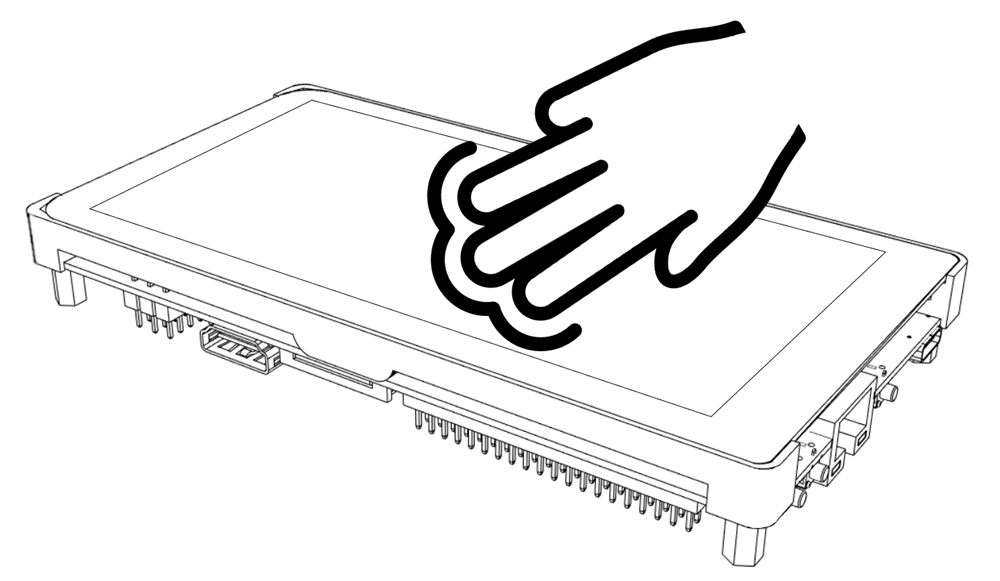
In case you don't connect a mouse to your Vivid Unit, and you want to emulate right click, you may '''tap the touchscreen with two fingers''' at the same time. | |||
<pic src="images/6/68/vivid_unit_right_click.png" width="70%" align="text" caption=""></pic> | |||
=== Middle Click === | |||
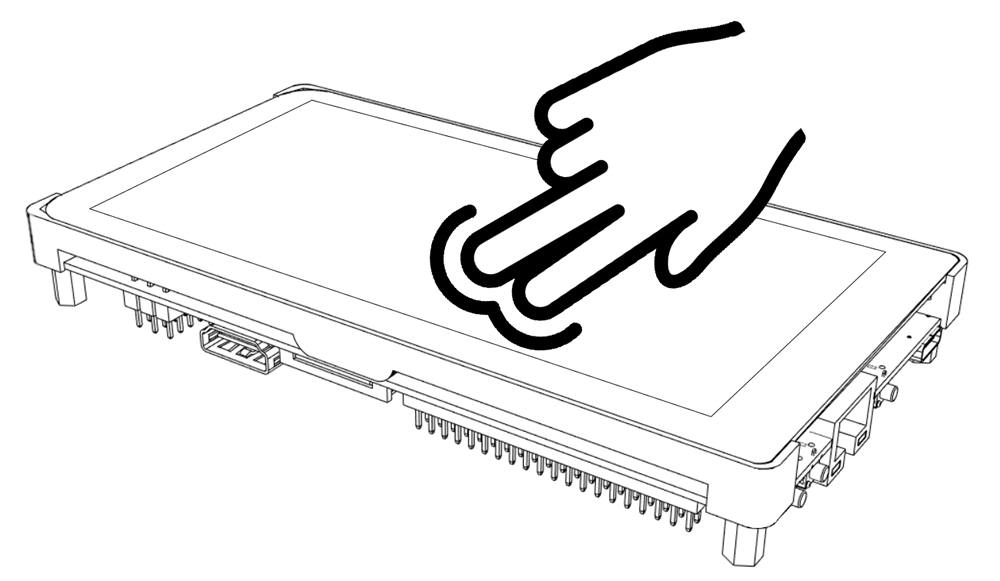
If you want to emulate middle click, you may '''tap the touchscreen with three fingers''' at the same time. | |||
<pic src="images/f/f8/vivid_unit_middle_click.png" width="70%" align="text" caption=""></pic> | |||
Latest revision as of 13:30, 3 April 2026
Remarks: this page is for the old system (Debian 11). For the new system (Vivid Unit OS / Debian 12), related information can be found on this page.
Emulate Right/Middle Click on Touchscreen
Right Click
In case you don't connect a mouse to your Vivid Unit, and you want to emulate right click, you may tap the touchscreen with two fingers at the same time.
Middle Click
If you want to emulate middle click, you may tap the touchscreen with three fingers at the same time.